Internal Subnet
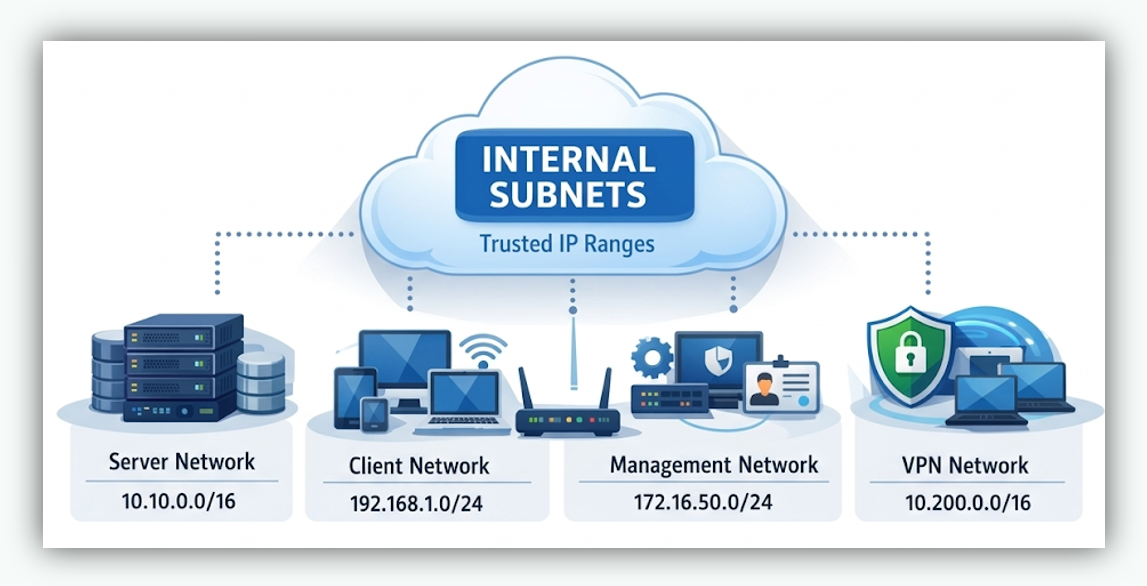
In nBalance, the Internal Subnet setting is a list of trusted private network ranges (your LAN/VPN/DC subnets). Its main purpose is to helps nBalance correctly identify traffic that originates from inside your organization so that security controls like Geo-Restrict don’t accidentally block your internal users. Examples: 192.168.0.0/23, 192.168.20.0/24
Add Subnet / Network Range.
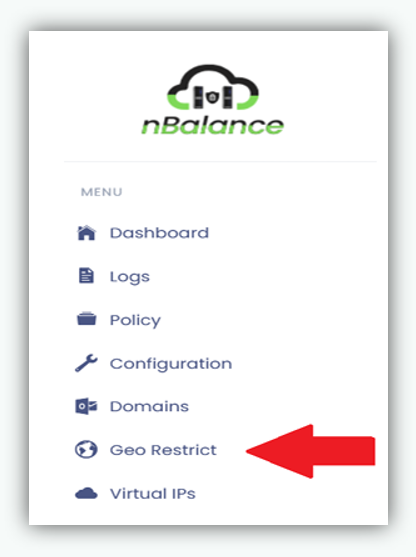
- Navigate to Geo Restrict - > Internal Subnets Click on Geo Restrict from the left navigation menu, then scroll down to the Internal Subnets section at the bottom of the page.
- In the Internal Network / Subnet field, enter the network range.
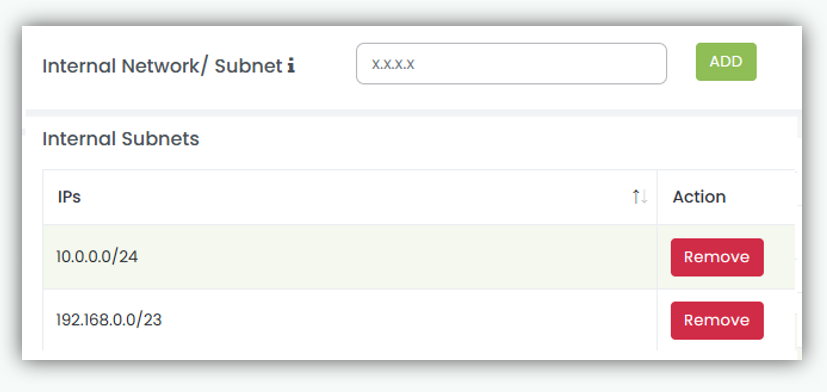
Internal subnets must be specified in CIDR notation.
Examples:
- 192.168.0.0/23
- 192.168.20.0/24
- The added subnet appears in the Internal Subnets list below.
Remove Internal Subnet To delete a configured subnet:
- Locate the subnet in the Internal Subnets list.
- Click Remove in the Action column.
Notes
- Changes take effect immediately after being added or removed.
- Ensure all required internal networks are added to avoid unintended access restrictions.