Block SQL Injection
Overview
The SQL Injection Protection feature safeguards the application from malicious SQL queries by detecting and blocking suspicious input patterns in incoming requests. It helps prevent unauthorized database access and data breaches.
Use Cases
- Preventing database-level attacks and unauthorized data access
- Securing login forms and input fields from malicious queries
- Protecting sensitive application data from exploitation
Block SQL Injection.
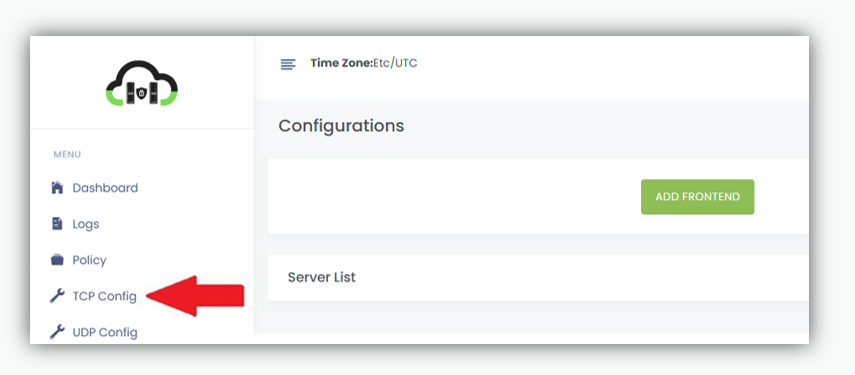
- Navigate to TCP Config.
Click on TCP Config from the left navigation menu.
- Locate the required frontend server from the list for which you want to Block SQL Injection.
- Click on Enabe button next to the Block SQL Injection.
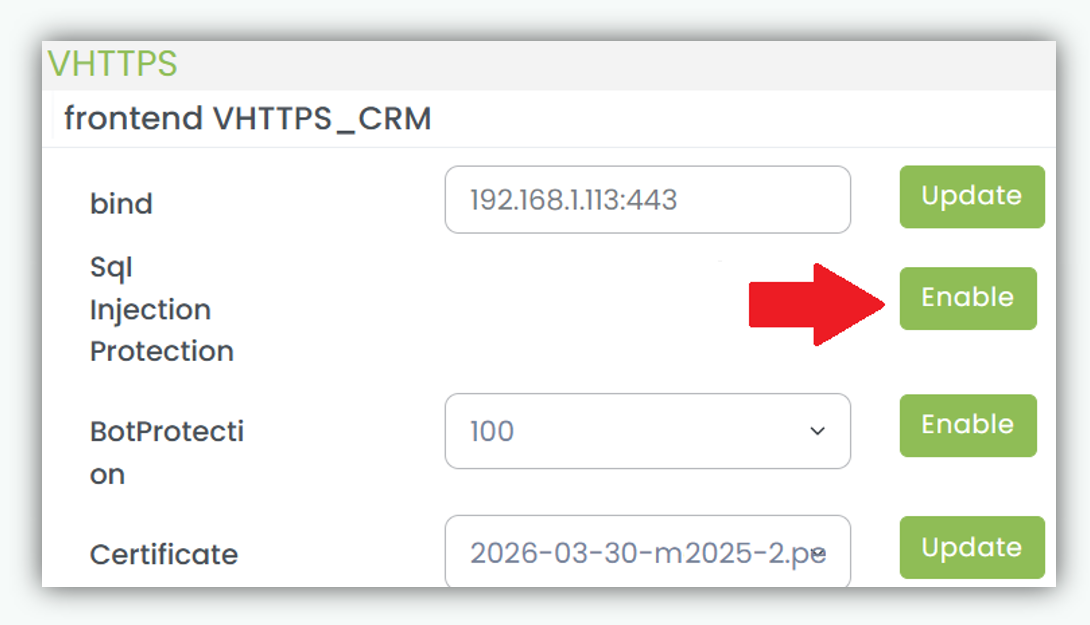
Click Enable once enabled, Block SQL Injection is activated for the selected frontend server and begins inspecting and blocking incoming requests for SQL injection attempts.